“Clear steps make spending easier to manage.” A spending process should help people make a decision, not leave them waiting or guessing. Without clear steps, requests get lost, purchases happen too early and nobody knows who should update the records. This guide shows how to build a simple routine from request to renewal. An organized system gives each step an owner and keeps the reason for a purchase easy to find when someone reviews it later.
Map the journey before selecting the tools
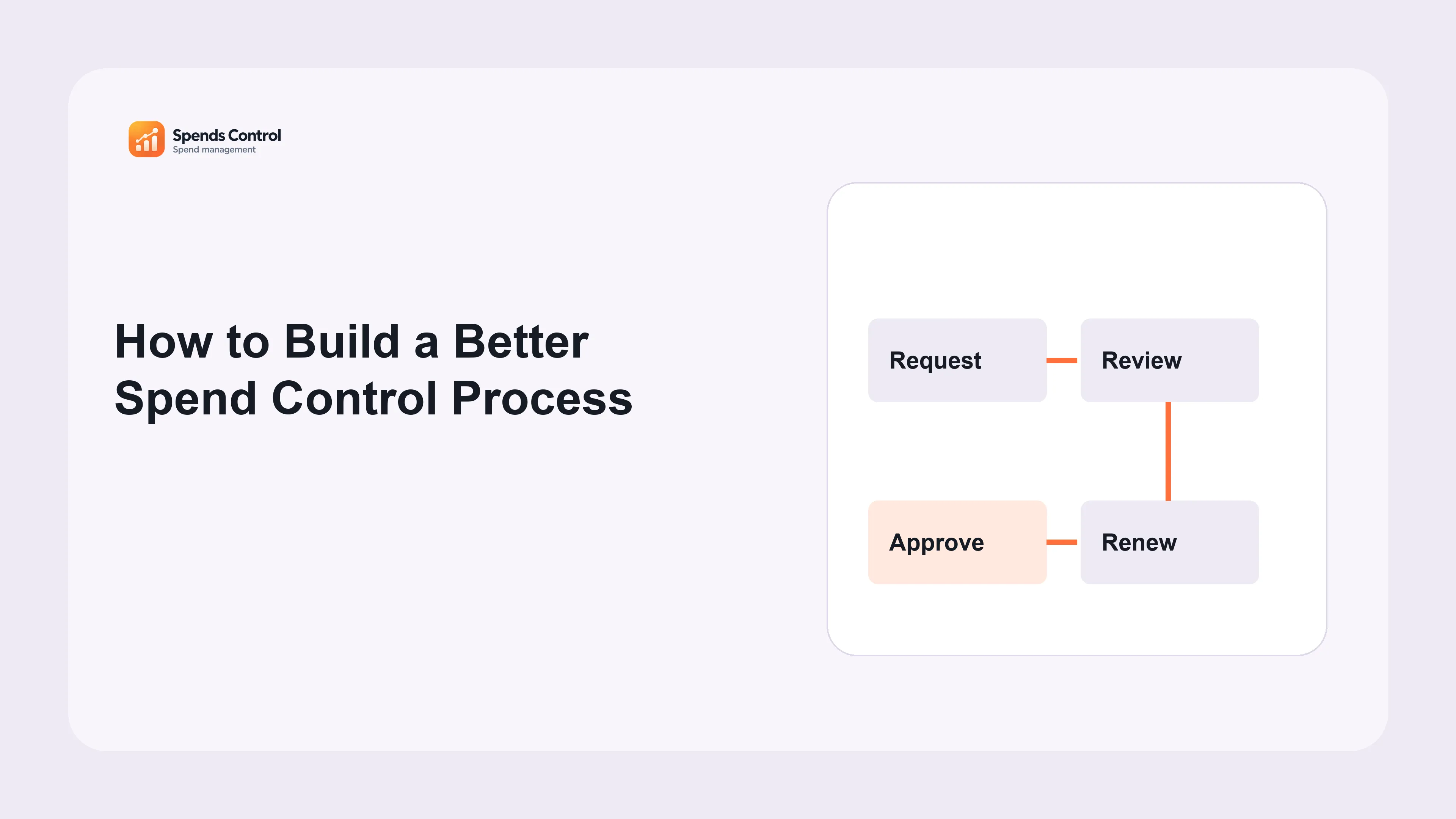
Write down how a real purchase currently happens: who identifies the need, who checks the information, who approves it and who maintains the resulting service. Include renewals as well as new purchases. A process designed only around the first approval leaves the recurring cost without a clear review owner later.
We recommend starting with clear records and a simple routine. Choose one ordinary example and one exception, such as an urgent subscription needed for delivery. Identify where information is lost or duplicated. The objective is not to draw an impressive flowchart; it is to make the business reason, estimated cost and authority understandable before the company becomes committed to the purchase.
Agree the minimum record at each stage. A proposal needs purpose, expected users, estimate and timing. The decision needs authority and conditions. completing the purchase needs the service and actual charge. The ongoing record needs an owner and renewal and notice dates. The approval workflow guide helps turn these responsibilities into a usable starting design.
A practical review checklist
- Record the business need and estimated cost.
- Separate information review from final authority.
- Maintain ownership and dates after completing the purchase.
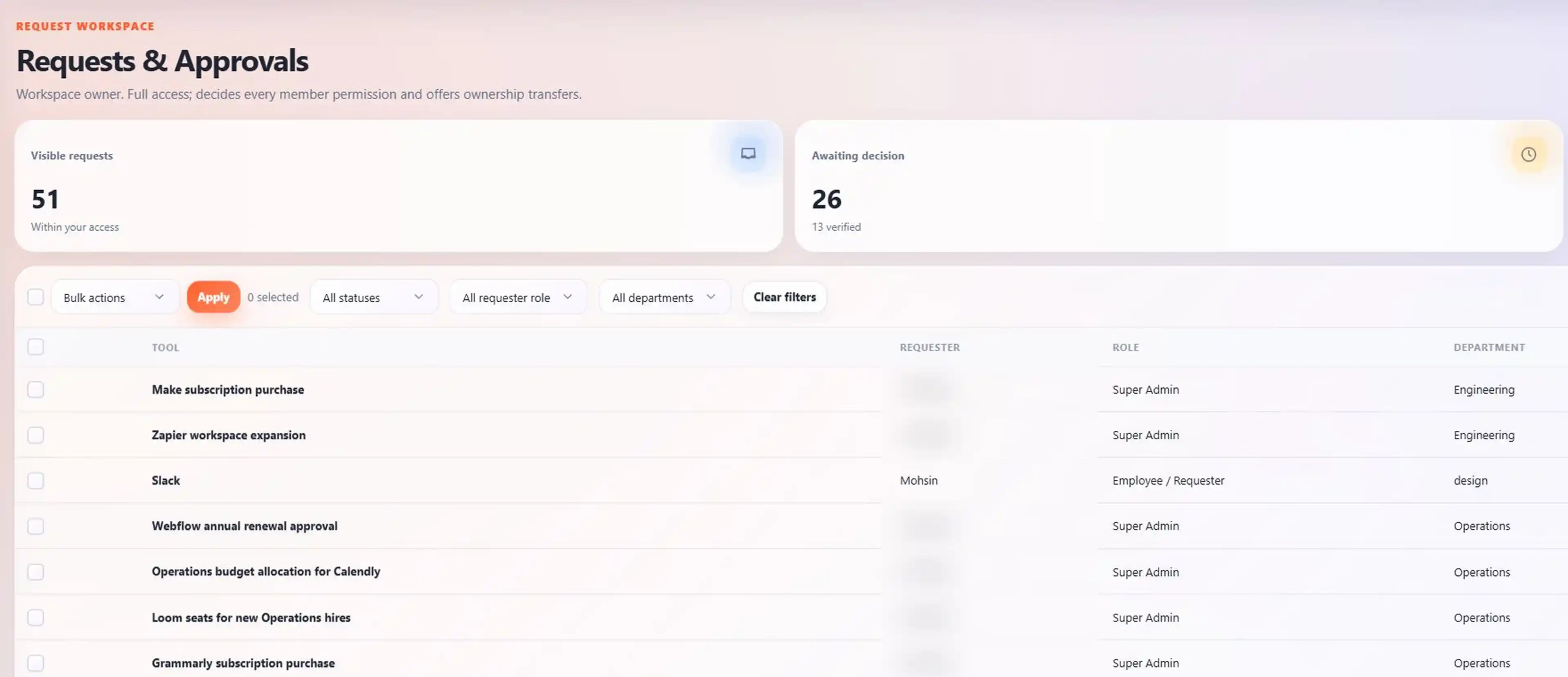
Create checkpoints with clear exit conditions
### Request and review A request should give the reviewer enough information to check need and alternatives. Define what complete means and who returns an incomplete request. Avoid asking for information that nobody uses in the decision. A short, complete business case is more useful than a long form copied mechanically by every requester.
Approval and completing the purchase
Keep review distinct from final authority. Record approved, rejected or changes requested with the reason and any conditions. Then confirm when the purchase actually happens. Approval alone is not a transaction. Requests & Approvals retains these stages so the original estimate does not silently become a claimed actual payment.
service list and renewal
After completing the purchase, update the application record, supplier and agreement context. Assign the person responsible for maintaining changes. Record the renewal and notice dates from the agreement. This closes the purchasing loop and gives the next reviewer a starting point when the company must decide whether to continue the service.
Build the financial check into the decision
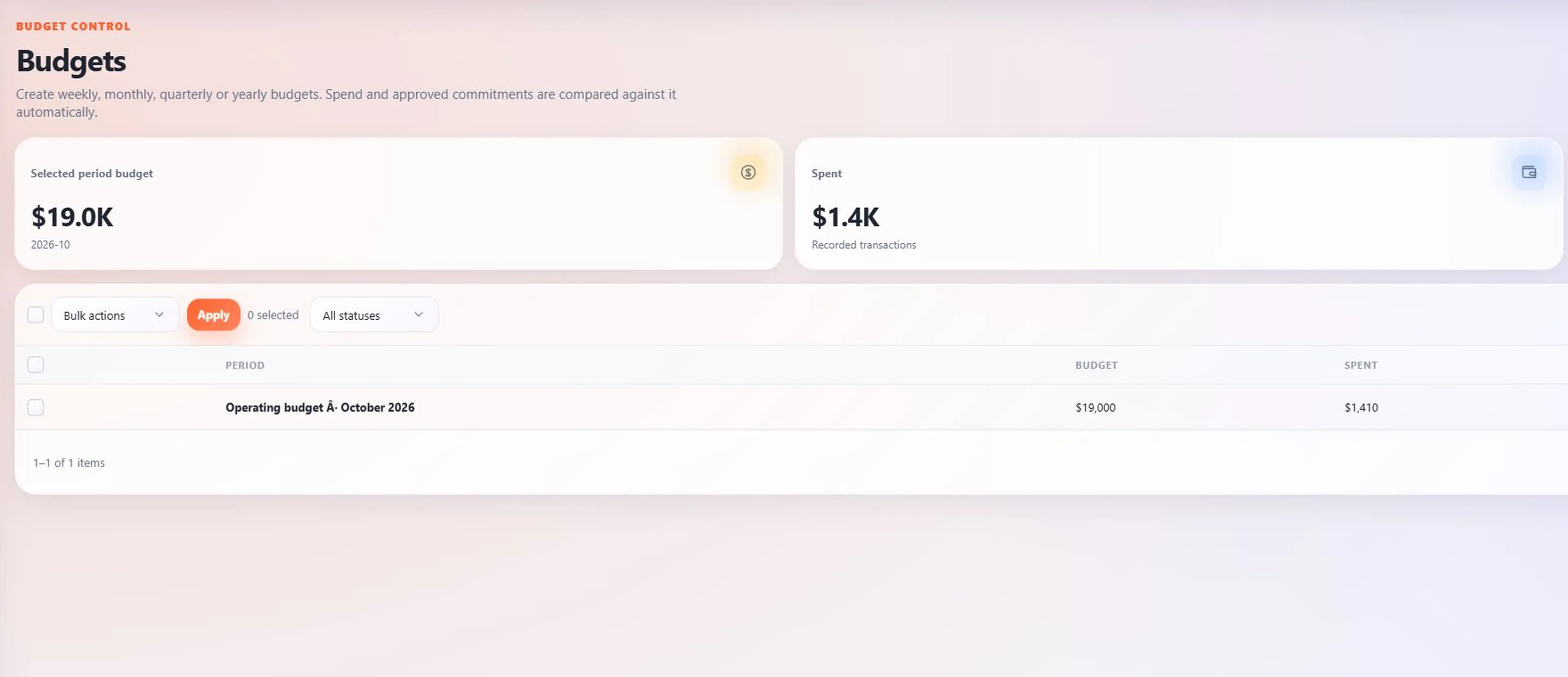
Define the budget period and budget amount the reviewer should consider. Compare recorded costs with outstanding approved purchases, not just the amount already paid. If a purchase falls outside the current scope or limit, identify the role approved to decide the exception rather than leaving the requester to guess whom to ask.
Budgets supports the distinction between budget amounts, spend and approved purchases. Keep currencies and period assumptions clear in the business discussion. When a request becomes a linked purchase, check the records so the estimated agreed purchase and actual charge are not treated as unrelated costs in the same review.
For example, a request might be approved subject to a lower licence count. The completing the purchase record should reflect what was purchased, not just what was first proposed. Preserving that difference allows finance to explain the charge and the service owner to understand the service seats or service limits. The financial checkpoint should produce a decision with usable context.
Pilot the process and improve the handovers
Test the process with a small group of purchases before extending it across the company. Ask requesters whether the requirements are clear and reviewers whether the information supports a decision. Observe delays and repeated questions. Fix those points rather than adding another approval stage whenever a request is difficult to understand.
At Spends Control, we recommend giving each open task an owner and a review date. Use an exception log for urgent or unusual cases. Record why the standard route could not be followed, who approved the alternative and what follow-up is required. An exception should keep responsibility, not erase it. Review recurring exceptions to see whether the normal process needs a practical change.
Check the handover into ongoing maintenance: can another colleague find the purpose, owner and next deadline? Measure completeness and timely decisions alongside costs. A successful spend control process remains usable after the pilot. The product guide shows how the connected records support that routine without replacing the business’s own priorities and approval responsibilities.
To build on this routine, read our guides to clear company spending rules, writing a spending policy and controlling business spending. Choose the next topic that matches the problem your team needs to solve.
Frequently asked questions
Does every purchase need several approvers?
No. Use the checks needed for the cost and decision. Extra steps should have a clear purpose, rather than making every request slower.
How should an urgent exception be documented?
Write the reason, who approved it and what needs to happen next. Keep the record even when the usual timetable cannot be followed.
Should rejected requests remain available?
Keep the decision and reason according to your company record rules. This helps teams understand why an earlier request was turned down.
What if one person holds several process roles?
Make each responsibility clear even if one person does several jobs. That makes it easier to hand over the work when the team grows.
When should the process be revised?
Review it when requests keep getting delayed or people are unsure what to do. Fix the steps causing those problems before adding more rules.